10 Visual Timeline Template Picks for Novelists
A pretty timeline is not a continuity system. It's a presentation layer, and confusing the two is how a manuscript ends up with a character who learns a secret before anyone tells them, a missing object that reappears without explanation, or a Tuesday scene that happens before Monday's consequence. Static character profiles fail for the same reason. They describe a person at rest instead of tracking what changes from scene to scene.
That distinction matters once you're managing an 80,000-word novel, multiple points of view, recurring characters, interlocking plotlines, or a series where yesterday's minor detail becomes tomorrow's evidence. A visual timeline template can clarify story beats, chapter order, publication planning, or a public-facing history of a fictional world. It can also produce a gorgeous board that collapses the moment revision moves three scenes and changes one fact.
The picks below are judged against the problems professional fiction workflows encounter: chapter and scene sequencing, multi-POV continuity, character knowledge states, series-scale tracking, editable exports, and the handoff between timeline work and manuscript revision. Novelium's manuscript-analysis perspective shapes the evaluation, but the first question remains practical. Are you choosing a tool to show the story, or one that helps keep the story true as the draft changes?
1. Novelium
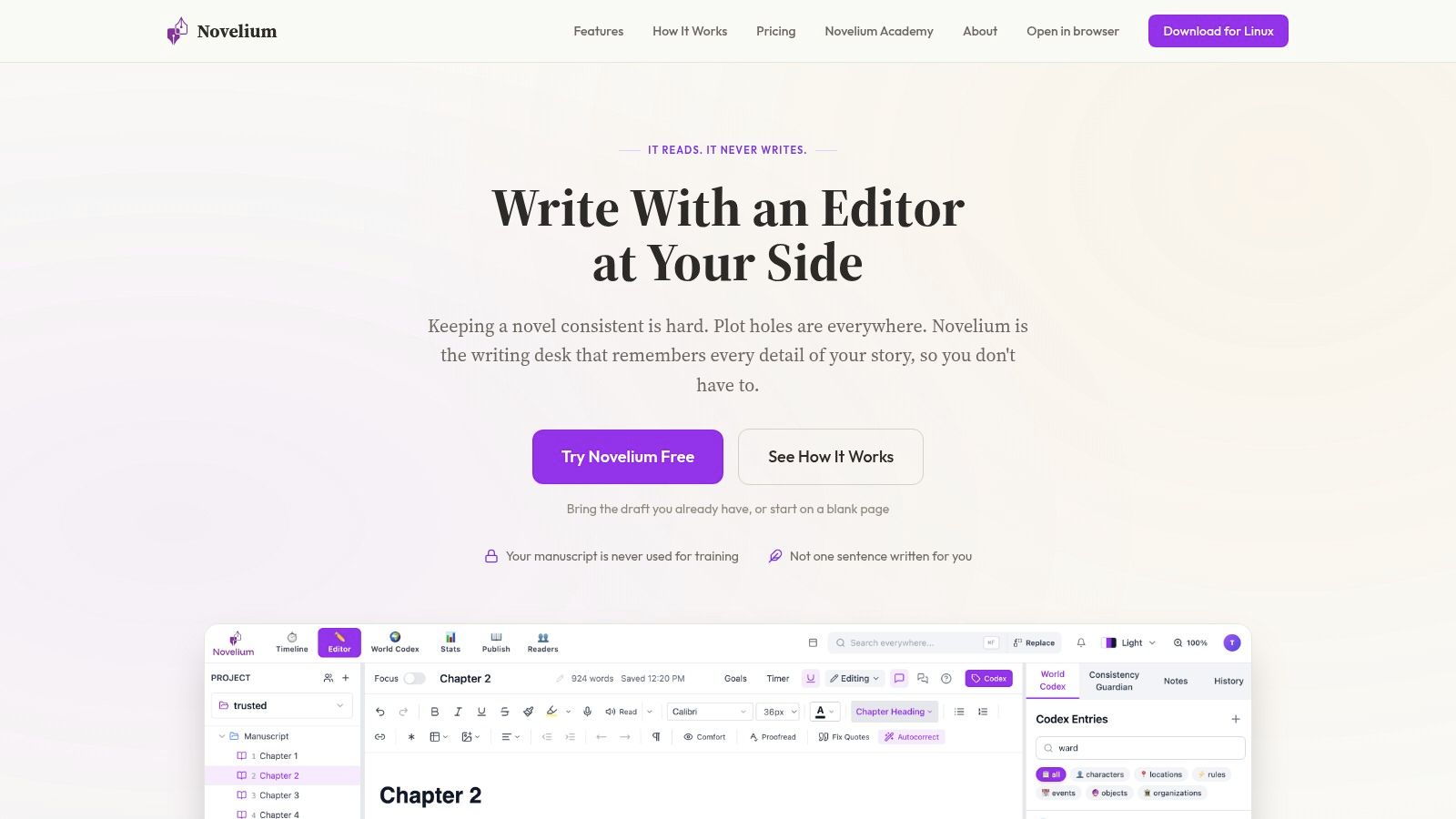
Novelium is the strongest choice when the visual timeline needs to be generated from the manuscript rather than manually maintained beside it. Its Timeline View maps chronology from the text, while the platform tracks events, character traits, relationships, knowledge states, objects, and information flow across chapters. That makes it useful for the continuity failures that attractive boards routinely miss, including a character reacting to information they haven't received or an object appearing in a scene where nobody could have carried it.
The workflow is deliberately fiction-native. Novelium imports common manuscript formats, including .docx, Scrivener, Google Docs, and plain text, then supports live checks or batch analysis. It builds a visual timeline and Story Bible, and its pacing analyzer gives scene-by-scene rhythm feedback. The Beta Reader Dashboard keeps reader progress, comments, drop-off points, and consensus problems in one place, which is a more useful revision handoff than exporting another attractive image and forgetting to update it.
Why it survives manuscript changes
Novelium processes drafts locally on the writer's device, uses encrypted storage, and doesn't train on user work or share manuscripts with third parties. It's designed as a continuity editor, not a ghostwriter. It won't write scenes, rewrite your voice, or suggest plot lines, which is a limitation if you want creative generation, but exactly the point if you want factual checks without surrendering authorship.
The pricing is tiered. The Free plan includes one project, one device, and 10,000 analysis words per month. Pro is $19 per month with unlimited projects, series workspaces, cross-book intelligence, and 2,000,000 analysis words per month. Premier is $39 per month with priority support and 20,000,000 words, while Publishing is available in-app at $147 per month for unlimited analysis and higher-touch support. See the current Novelium plans and workflow before choosing a tier, since full-length novels and series work can outgrow the free allowance.
Practical rule: Use a visual timeline to inspect the story. Use Novelium to test whether the manuscript still agrees with itself.
2. Aeon Timeline
Aeon Timeline is built for writers who want to construct a detailed chronology manually, then connect that chronology to the entities inside the story. Its Story, Worldbuilding, and Historical Fiction templates give fiction writers a more appropriate starting point than a generic project board. You can link events to characters and locations, switch between narrative and chronological views, and inspect the same material through timeline, spreadsheet, relationship, or outline views.
That flexibility is valuable for historical fiction and complex plotting. Narrative order and chronological order often diverge, and Aeon makes the distinction visible instead of forcing every scene onto a single linear bar. Its bi-directional sync with Scrivener and Ulysses also creates a useful bridge between planning and drafting, provided you treat synchronization as a controlled workflow rather than a magical merge.
Where the structure helps
Aeon is particularly good at exposing structural questions. Which scenes belong to a character's past? Which events affect a location before the protagonist arrives? Which plotline is carrying the causal weight while another POV is temporarily elsewhere? Linking entities makes those relationships inspectable rather than leaving them buried in notes.
The trade-off is operational. A large network of entities, views, and synced metadata creates a learning curve, and careless synchronization can overwrite or complicate information. Aeon is a development and planning system. It won't automatically know that a character's knowledge changed because a paragraph was revised in the manuscript. For a practical distinction between a story chronology and a prose sequence, keep timeline in fiction close at hand.
“A timeline that requires constant manual repair becomes another draft to maintain.”
3. Lucen Timeline
Lucen Timeline is the renamed successor to Office Timeline, with the rebrand taking place in May 2026. It's aimed at polished visual communication, especially timelines and roadmaps created inside PowerPoint or through its online editor. For novelists, that makes it less useful as a continuity engine and more useful for production schedules, pitch decks, launch planning, or a clean presentation of a fictional chronology to collaborators.
The PowerPoint-native workflow is the main attraction. Swimlanes, dependencies, milestone markers, and pre-built templates let you create something that looks finished quickly. The online editor adds cloud storage and insertion into Google Slides and Docs. Higher tiers support imports from Excel, Project, Sheets, and Jira, which may suit an author working with an editor, publisher, designer, or production team that already manages deliverables in those systems.
Presentation strength, tracking weakness
Lucen handles presentation-grade timelines better than manuscript-grade continuity. It can show that a cover, proof, launch, and promotion phase are planned in sequence, but it won't infer whether the detective knows the culprit in Chapter 14 or whether a firearm crossed town between scenes. Dependencies are useful for production planning, yet the tool remains dependent on the data you supply.
The lineup includes Free, Lite, Plus, Expert, and Online editions. Advanced imports and customization can require higher-priced tiers, and pricing varies by edition and billing arrangement, so verify the current offer before buying. For a writer who needs one beautiful slide for a meeting, Lucen is efficient. For a writer revising a sprawling manuscript, it's the attractive noticeboard, not the continuity clerk.
4. Lucid
Lucid combines Lucidchart's structured diagramming with Lucidspark's freeform whiteboards. That split maps neatly onto an actual outlining process. Start with a messy board of scenes, reveals, and competing plotlines in Lucidspark, then refine the surviving structure into a more disciplined timeline or relationship diagram in Lucidchart.
The template gallery supports timelines and roadmaps, while collaboration and embedding make the suite practical for co-authors, editors, and writing teams. You can move material into Google Docs or Slides, which helps when a planning board needs to become a briefing document. The best use case is shared development where several people need to see the same architecture and comment without passing around spreadsheet versions with names like “final_final_revised.”
A useful two-stage workflow
Lucid is strongest when the writer separates invention from inspection. The whiteboard accommodates nonlinear thinking, while the diagramming environment forces cleaner relationships between scenes, chapters, characters, and turning points. That makes it a capable companion for outlining your novel, particularly when the outline needs to be discussed rather than kept privately.
It still doesn't maintain continuity automatically as the prose changes. A revised scene can invalidate a board, and someone must notice and update it. Pricing is also fragmented across Lucidchart and Lucidspark products and plans, so check the specific combination you need.
For a single-author manuscript, Lucid may feel more elaborate than necessary. For a shared outline, it offers a strong balance between freeform thinking and tidy presentation. Just don't mistake collaboration for verification. Several people can agree on an incorrect timeline with impressive efficiency.
5. Miro
Miro works best as a shared canvas for sprawling story architecture. Its built-in timeline object and Miroverse template ecosystem support roadmaps, timelines, and visual planning, while real-time multi-user editing lets co-authors, editors, and writing partners work on the same board. A multi-POV novel can be laid out with chapters running horizontally and POV threads stacked vertically, making it easier to see where one character's plot disappears for too long or where separate lines collide.
The freeform side is the reason to use it. You can pin scene cards, connect dependencies, attach comments, paste research, and reorganize acts without rebuilding the entire visual. Miroverse also supplies a wide range of editable roadmap and timeline variants, including export options such as PowerPoint, Sheets, Figma, SVG, and PDF through related template libraries, which lowers setup friction for teams moving between planning and presentation workflows. See roadmap and timeline template options for the broader export-oriented options.
Good for group thinking
Miro's weakness is the same as its strength. A large canvas encourages accumulation. Soon every scene has three colors, every arrow means something different, and the board resembles evidence from a conspiracy investigation. Without a strict legend and stable tags for chapter, POV, chronology, and status, visual density replaces clarity.
Advanced features may sit behind higher-tier plans, and pricing or feature availability can change by account. Confirm the required tier before building a team workflow around a specific function. Miro is excellent for collaborative outlining and editorial discussion. It isn't a manuscript-aware system, so revised prose still needs a separate continuity pass.
6. Canva
Canva is the fast route to an attractive visual timeline template. Its library contains 11,684 timeline templates, according to Canva's timeline collection, and the platform makes customization painless through drag-and-drop design. For a novelist, that's useful for a publication plan, a high-level character arc, a series chronology shared with readers, or a one-page story overview for an editor who doesn't need every scene's dependency graph.
Canva's presentation strength is obvious. It handles typography, color, imagery, brand styling, sharing links, and common export formats without requiring design training. A writer can turn a rough list of milestones into something presentable before the coffee gets cold, which is a legitimate advantage when the deliverable is visual communication rather than active continuity management.
Keep the scope deliberately small
Canva breaks down when the timeline becomes constraint-driven. It doesn't manage dependencies in the way a dedicated planning tool does, and a drag-and-drop layout won't warn you that an event now occurs before its cause. The more detail you add, the more time you spend manually preserving spacing, labels, and visual hierarchy. Some templates and elements also require paid plans.
Use Canva for the reader-facing or meeting-facing version of a chronology. Don't make it the master record for a series with recurring characters, evolving secrets, and objects that change hands. A polished image can show what you believe the story says. It can't independently check what the draft says. For broader visual-content use cases, WaveGen's visual content guide provides another design-oriented reference point.
7. Visme
Visme sits between infographic design and interactive publishing. Its timeline maker supports horizontal and vertical layouts, imagery, icons, and interactive embeds. You can import dates from Google Sheets or Excel, then publish a timeline for readers to explore rather than handing them a static image.
That distinction matters for fiction authors with a public-facing universe. A historical backdrop, family succession, or series chronology can become a browsable web asset with links and media instead of a dense page of exposition. Visme's template library gives you a starting structure, while interactive publishing lets the audience move through the information at its own pace.
Better for exposition than revision
Visme is useful when the timeline itself is part of the product. It can support an author website, a reader resource, a course, or an editorial presentation where visual context matters. It's less suited to tracking knowledge states inside a private manuscript. The imported date data still reflects what you entered, not what your scenes imply.
Advanced exports and brand features require paid plans, and the free tier limits some capabilities. That makes it sensible to prototype the format before committing to a long-term public workflow. A writer can also use Visme as the final presentation layer after maintaining the underlying chronology somewhere more disciplined.
Don't ask it to answer whether two scenes are impossible in sequence. Ask it to make a confirmed chronology easy for someone else to understand. Those are different jobs, and timeline software gets blamed for failures caused by using the wrong job description.
8. Preceden
Preceden is a dedicated online timeline and Gantt tool with classic, Gantt, and multi-layer layouts. Its multi-layer structure suits a novel with parallel plotlines, while milestones, dependencies, percent complete, bulk editing, and import features make it more operational than a purely decorative infographic tool. It can also export to PDF, PNG, PPTX, and CSV, which is useful when a planning artifact needs to move into an editorial or production workflow.
The interface is straightforward. You can separate plotlines, characters, research periods, or publishing tasks into layers, then inspect their overlap. For book production, that might mean keeping developmental edits, copyedits, cover work, and launch preparation visible without confusing them with the fictional chronology.
A solid exportable middle ground
Preceden's limits appear in collaboration. It supports inviting editors or collaborators, but it doesn't provide real-time co-editing. Collaborators need to refresh to see changes, and documented feature limits may affect how much shared work you can do. That's manageable for an author-editor exchange, less comfortable for a live plotting session.
It also remains manually maintained. Dependencies can show that one item should follow another, but the tool won't inspect the manuscript for contradictions or update a character's state after a scene rewrite. Preceden is a good choice when you need a clean, exportable chronology with more structure than Canva and less fiction-specific machinery than Aeon Timeline. Treat it as a controlled planning database, not an automatic continuity safeguard.
9. Tiki-Toki
Tiki-Toki is designed for visual, media-rich timelines that readers can browse. Its web app includes multiple views, including a 3D timeline view, and supports images, video, group editing, public sharing, and embedding. For a novelist, the natural uses are a public world history, an educational companion, a historical backdrop, or a series site where readers want to explore events rather than read a plain chronology.
The desktop app adds a local workflow for creating and sharing .tki files, with print and export options. That separation is important. A desktop timeline can remain a private planning artifact, while the web version can become a reader-facing experience, but the two environments don't offer identical capabilities.
Visual richness has operational costs
Tiki-Toki's media support makes it more engaging than a text-heavy board, but rich presentation can tempt authors to decorate before the chronology is stable. An image attached to the wrong event is still wrong, only now it looks expensive. Embeddable views also have quotas, and overages can show a link instead of the timeline itself. The desktop app isn't the route for web embeds.
Use it when the audience needs to explore the world, not when the writer needs to validate every scene. A private planning timeline can help organize worldbuilding, but it won't replace a system that tracks whether the fictional facts in the manuscript remain consistent after revision. Tiki-Toki makes chronology inviting. It doesn't make chronology true.
10. TimelineJS
TimelineJS is a free, open-source option for publishing a media-rich, scrollable timeline on the web. It uses a Google Sheet as the data source and supports images, video, maps, and other media. The Knight Lab generator and documentation make embedding relatively accessible, while community examples provide practical patterns for presenting historical or fictional universes online.
For authors, TimelineJS is especially useful when the timeline is part of a website. A series page can expose major events, locations, or eras through a format readers can scroll through, while the Google Sheet remains editable without redesigning the embed each time. It's also a sensible choice for an educational project or a public chronology that needs media rather than a static PNG.
Public output, private limits
TimelineJS isn't a desktop editor. The underlying data lives in Google Sheets, and the published timeline is embedded on the web. That makes it flexible for public communication but less suitable for a private manuscript workflow, especially when the chronology contains unpublished plot information or sensitive worldbuilding.
It also doesn't know anything about chapters, POV access, character knowledge, or revised prose unless you encode those relationships yourself. A spreadsheet can preserve structured data, but it won't notice that a character's reaction contradicts what they knew two scenes earlier. TimelineJS is excellent at displaying a confirmed sequence. It isn't designed to establish whether the sequence survives the draft.
Top 10 Visual Timeline Template Tools, Feature Comparison
| Product | Core features & unique ✨ | Privacy & processing | UX / Quality ★ | Price / Value 💰 | Best for 👥 |
|---|---|---|---|---|---|
| 🏆 Novelium | Real‑time continuity checks, character/tracking, visual timeline & Story Bible, pacing analyzer, Beta Reader Dashboard ✨ | Local processing, encrypted storage, never trains on your work | ★★★★★ real‑time, actionable flags | Free (10k words/mo); Pro $19/mo; Premier $39/mo; Publishing $147/mo 💰 | Fiction authors, series writers, privacy‑conscious pros |
| Aeon Timeline | Narrative vs chronological views, entity linking (events↔characters/locations), Scrivener/Ulysses sync ✨ | Desktop-first (local files); optional sync | ★★★★ powerful timeline UX with learning curve | Paid license / subscription; free trial 💰 | Writers needing story chronology & Scrivener users |
| Lucen Timeline | PowerPoint‑native timelines, swimlanes, dependencies, polished templates | Cloud editor + PowerPoint add‑in (cloud storage) | ★★★★ polished, presentation‑grade outputs | Free / Lite / Plus / Expert tiers; paid advanced features 💰 | Presenters, production schedulers, exec decks |
| Lucid (Chart + Spark) | Brainstorm in whiteboard, refine diagrams/timelines, large template gallery | Cloud SaaS (team collaboration) | ★★★★ flexible, strong templates & collaboration | Free tier; team/enterprise plans for advanced features 💰 | Teams, collaborative plotting & diagramming |
| Miro | Freeform whiteboard with timeline widgets, real‑time co‑editing, large template library | Cloud collaboration platform | ★★★★ great for co‑author brainstorming & mapping | Free; paid tiers for advanced features & controls 💰 | Co‑authors, editors, creative teams |
| Canva | 1,000+ timeline infographic templates, drag‑and‑drop design, easy exports | Cloud; shareable links (brand controls on paid plans) | ★★★ fast, design‑forward, easy to use | Free; Pro / Teams paid plans for assets/brand 🟊 💰 | Authors & marketers needing quick shareable visuals |
| Visme | Timeline maker (horizontal/vertical), interactive embeds, Google Sheets import | Cloud platform | ★★★ interactive timelines & embed options | Free tier; paid plans for advanced exports/features 💰 | Storytellers wanting interactive/publishable timelines |
| Preceden | Multi‑layer timeline & Gantt, dependencies, bulk edit, pro exports (PDF/PPTX) | Cloud; invite‑based collaboration | ★★★★ straightforward, pro export focus | Paid plans (tiered); free trial available 💰 | Production managers, authors mapping publication schedules |
| Tiki‑Toki | Highly visual embeddable timelines, media embedding, optional 3D view, desktop app ✨ | Web app + desktop offline option (local files) | ★★★ attractive, media‑rich timelines | Free limited plan; paid tiers for embeds & features 💰 | Educators, public storytellers, historical timelines |
| TimelineJS (Knight Lab) | Builds from Google Sheet, supports images/video/maps, highly embeddable ✨ | Publishes from Google Sheets (public by default unless self‑hosted) | ★★★★ excellent for web‑published, media‑rich timelines | Free & open‑source 💰 | Journalists, web publishers, universe timelines |
Choose the Timeline That Survives Revision
Choose based on the job, not the screenshot. If the manuscript itself is the source of truth, use a fiction-native tracking system. If several people need to outline together, use a collaborative board. If the deliverable is a pitch deck, launch plan, or reader-facing graphic, choose a presentation tool. If you need a public timeline driven by structured data, a spreadsheet-based option such as TimelineJS is more practical than a decorative board.
For continuity-heavy fiction, Aeon Timeline and Novelium are the serious contenders in this group, but they solve different problems. Aeon gives you deliberate control over events, entities, relationships, and views. Novelium connects timeline analysis to the actual manuscript, which matters when a revision changes the facts rather than merely rearranging cards. Miro and Lucid work well for shared outlining. Preceden handles structured, exportable planning. Canva, Visme, Tiki-Toki, Lucen Timeline, and TimelineJS are strongest when someone else needs to understand the chronology.
Adapt the visual timeline template to the genre instead of accepting its default shape. A historical novel may need calendar dates, eras, locations, and research confidence. A thriller needs clue visibility, reveal order, evidence custody, and knowledge boundaries. A romance may need parallel emotional and external-event tracks. A fantasy series often needs dynasties, migrations, magic-system changes, and cross-book consequences. None of those details matter merely because they're fun worldbuilding. They matter when the manuscript relies on them to make a scene believable.
Separate chronological order from narrative order. Tag chapters and scenes by POV, location, status, and whether the event occurs on-page or in backstory. Keep character knowledge distinct from objective truth. A dead character, a hidden object, or an undisclosed betrayal can exist in the chronology without being available to every viewpoint character. That separation prevents a common failure in long manuscripts, where the author knows a fact and unconsciously lets the character know it too.
Export according to the handoff. PNG and PDF work for meetings, editorial packets, and reader-facing material. CSV and Sheets data are better when another system needs to sort, filter, or import the chronology. PPTX suits production and presentation workflows. Exports are useful, but they're snapshots. The moment the draft changes, the snapshot starts aging.
A development document explains the story you intend to write. A tracking system records the story that currently exists.
That difference is why character development documents so often fail at scale. They contain history, preferences, appearance notes, and carefully written biographies, but they don't track what changes from scene to scene. A character can have a complete profile and still know the wrong secret, carry the wrong object, remember the wrong injury, or appear in two places too close together. The fix isn't another questionnaire. It's an evolving system that updates as the manuscript evolves.
Novelium's Character Tracker and World Codex are built for that handoff between timeline work and revision. They extract and track character details, relationships, events, objects, and knowledge states across the draft, while the visual timeline helps expose gaps, overlaps, pacing problems, and impossible sequences. Local processing, encrypted storage, manuscript integrations, and support for multi-book intelligence keep the system connected to the work instead of turning it into another isolated planning file.
If you're writing a single-thread novella, a static visual timeline may be enough. If you're managing recurring characters, multiple POVs, an 80,000-word manuscript, or a series whose details have started arguing with one another, choose the tool that can survive revision. Pretty is useful. Persistent is better.
Novelium reads your manuscript locally, tracks character states, relationships, objects, events, and chronology, and turns those findings into a visual timeline and World Codex without rewriting your voice. Visit Novelium to start free and see whether your current draft can keep its facts straight.