Stop Chasing Plot Holes: Finding the Best Software for Novel Writing
Let's get straight to the point: the best software for novel writing is the one that prevents your story from collapsing under its own weight. This isn't about fancy fonts or a minimalist "focus mode." It's about wrangling the thousands of moving parts that make a complex story feel real. For writers managing 80,000-word manuscripts or multi-book series, the tools that worked for a short story are now the source of the problem.
Your word processor is just a digital typewriter. And it’s failing you.
Why Your Word Processor Is Failing Your Novel
A word processor is fantastic at one thing: getting words onto a page. But for any author managing an 80,000-word manuscript, a sprawling series, or a cast of characters that could fill a small town, the actual typing is the easy part. The real work is managing complexity—and that’s what separates a cohesive story from a frustrating mess.
This is exactly where digital typewriters fall apart. They're built for static, linear documents like reports and memos, not the living, breathing universe of a novel.

From Static Profiles to Dynamic Tracking
You've probably tried the spreadsheet method. Maybe you have a separate document with pages of character questionnaires, detailing eye color, favorite foods, and that one childhood trauma. These are artifacts—museum pieces that capture a character at a single point in time, usually before the story even starts. They're useless for tracking what a character knows, possesses, or believes after the inciting incident. Most character profiles fail because they are static documents; they don't track the character's state as it evolves across scenes.
A novel is a system of constantly changing states. Information is the currency of your plot, and the way it moves between characters is what creates tension, mystery, and surprise. When you rely on a static document to track a dynamic system, you’re setting yourself up for consistency traps. That’s the difference between a character development document (a static bio) and a character tracking system (a dynamic log of state changes).
The most common continuity failures we see aren't about eye color. They are failures of knowledge management: a character acts on information they haven't learned yet, or two characters discuss an event they couldn't both know about. A classic example is Character A finding a hidden diary in Chapter 10, only for Character B to reference its contents in Chapter 12 without ever having seen it.
That's the core of the problem. Your tools are built for writing, not for tracking. They have no concept of a timeline, no awareness of which characters are in a scene, and absolutely no ability to flag when a magical sword mentioned in chapter two inexplicably vanishes until the climax. The information that actually matters for consistency isn't backstory; it's a log of who knows what, when they learned it, and who they told.
Word Processor vs. Novel Intelligence Platform
| Feature | Standard Word Processor | Novel Intelligence Platform |
|---|---|---|
| Character Management | A separate, manually updated document. | Tracks character appearances and knowledge dynamically. |
| Timeline | You build and maintain it in a spreadsheet (if at all). | Automatically builds a timeline from your manuscript. |
| Continuity | Your brain and a prayer. | Actively flags potential inconsistencies. |
| Worldbuilding Bible | Another separate document you have to search. | An integrated, searchable knowledge base linked to your text. |
| Data Analysis | Word count. That's about it. | Pacing analysis, character screen time, and more. |
It's clear that one of these tools is built for the job, and the other is just a digital piece of paper.
The Real Cost of Inadequate Tools
Every time you stop writing to manually check a detail—"Wait, did I give the key to Thomas or to Elara?"—you fracture your creative momentum. Every continuity error that slips past you and makes it to your editor is a distraction that pulls them away from assessing your story's pacing and emotional core.
Even worse, when these errors reach a reader, they shatter the fictional dream. They’re the smudge on the window that reminds the reader they’re just looking at a construct. Managing a complex narrative requires an intelligence layer that your word processor simply doesn't have. It’s time to move from just writing your story to actively engineering its internal logic.
The Pillars of Professional Novel Writing Software
When you're picking novel writing software, it's easy to get distracted by shiny features that don't actually help you finish the book. Let's cut through the noise and focus on what actually keeps a manuscript from falling apart at the seams. You need a system that offers comprehensive tracking, automated verification, and seamless integration into the workflow you already have.
The self-publishing world has exploded, and the tools have to keep up. We're talking about a market that hit $1.85 billion in 2024 and is on track to hit $6.16 billion by 2033. With over 2.6 million books coming out every year, yours has to be airtight. You can dig into more self-publishing statistics to see the trend for yourself. Airtight means avoiding the amateur mistakes that pull a reader right out of the story. That's where the right software comes in.
Comprehensive World Tracking
A character sheet you fill out once and forget is useless. It’s a snapshot that freezes your world in place before the story even starts. Your characters and your world are alive—they change. You need a tool that tracks those changes dynamically as you write. A modern tool should read your manuscript and log every little shift. It should note what characters know, who they've talked to, and what objects they're carrying. This is what stops those cringe-worthy continuity errors, like your hero suddenly remembering a clue they were never told. Think of your novel as a living, breathing thing. Every new scene sends ripples through the whole story, and you need a system that sees those connections for you.
Automated Continuity Verification
Trying to manually check continuity across a 100,000-word manuscript is a special kind of hell. It’s a direct path to burnout. This is a job for a machine. Automated checks can spot inconsistencies and plot holes long before they make it to your editor or beta readers. A good system will build a timeline for you, pulling out date references and sequential clues to create a visual map of your plot. It'll instantly show you if you accidentally skipped a day, or worse, brought a character back from the dead without any explanation. It’s like running a simulation of your story. If a character is in two places at once or an object vanishes into thin air, the software should throw up a red flag.
Spotting a character who suddenly knows something they couldn't have is brutally difficult during a manual read-through. An automated check catches it instantly.
This isn't about spell-checking. It's about catching structural problems—scenes that are out of order, timeline gaps, and characters acting on information they don't have. In a crime thriller we analyzed, the software found a timeline gap where the prime suspect had no alibi for the night of the murder. Another author caught a disappearing heirloom plot device; by tracking the object's state, they pinpointed exactly where it vanished. These aren't just minor fixes; they're the kinds of things that keep beta readers focused on the story, not the mistakes.
Seamless Workflow Integration
Any software that forces you into its own little walled garden is a creativity killer. If it doesn't play nicely with the tools you already use, like Scrivener, Microsoft Word, or Google Docs, it’s not worth your time. The best tools work locally, analyzing your draft in the background so you can stay in the writing app you love. Local processing is also a huge deal for privacy. It means your manuscript never leaves your computer. No third-party server, no data training—your story stays yours, period. This is what keeps you from abandoning a tool halfway through a project out of sheer frustration. It just needs to work.
| Error Type | Software Response |
|---|---|
| Timeline jump (Mon→Wed) | Highlights the gap in a visual timeline. |
| Character memory slip | Flags when a character uses info they don't have. |
| Object location mismatch | Notes the object's state change in the scene log. |
When these pillars work together, your software becomes more than a word processor. It becomes a tireless story mechanic that never misses a clue. It frees you up to focus on the storytelling, not the bookkeeping. Demand software that thinks like an editor.
Explore our AI writing software for novelists to see how Novelium puts these principles to work, helping you write a better, cleaner novel without getting in your way.
Choosing the Right Tool for Your Writing Career
Let’s get one thing straight: the phrase “best software for novel writing” is a trap. There is no single “best” tool, only the right tool for a specific job. Your needs as a standalone thriller author are fundamentally different from someone trying to wrangle a nine-book epic fantasy series. Both are worlds away from what a developmental editor needs to do their job well.
Choosing software isn't really about features; it's about solving the most expensive problem in your workflow. For some of us, that's the raw time spent manually cross-referencing a story bible. For others, it’s the sting of paying an editor for ten hours of work flagging continuity errors that a machine could have caught in ten minutes.
The rapid growth in this space tells you everything you need to know. The global literature software market is projected to hit $5,780 million by 2025—a massive 54% jump from 2021. This isn't just random growth; it's driven almost entirely by professional authors demanding smarter, more efficient platforms. You can dig into these literature software market trends yourself and see how the demand for intelligent analysis is shaping the industry.
The Indie Author Efficiency Play
For the indie author, the whole game is about speed-to-market without sacrificing quality. Your biggest enemies are time and those soul-crushing, unforeseen editing costs. Every single plot hole that makes it to your editor is money burned on fixing preventable mistakes instead of refining your story's core. Your absolute non-negotiable feature is automated continuity verification. You need a tool that acts as your first-pass editor, catching timeline slips and character knowledge contradictions before a human ever lays eyes on the manuscript. This frees up your actual editor to focus on high-level feedback like pacing and character arcs, which is a much, much better use of their talent and your budget.
The Series Writer Continuity Mandate
If you're writing a series, your primary challenge is managing a sprawling, multi-book universe. Your readers are your most devoted (and ruthless) fact-checkers, and they will notice if a character's backstory mysteriously changes between book two and book four. Trust me. A static wiki or a messy folder of Word documents is just a recipe for disaster. You need a dynamic world codex that evolves with your story across every manuscript. It has to track character relationships, historical events, and the rules of your world not as a dusty reference document, but as a live, breathing database. The goal isn't just to store information but to actively check it against new prose, flagging the moment you're about to contradict established canon. This is all about building a sustainable writing process that can handle that kind of scale.
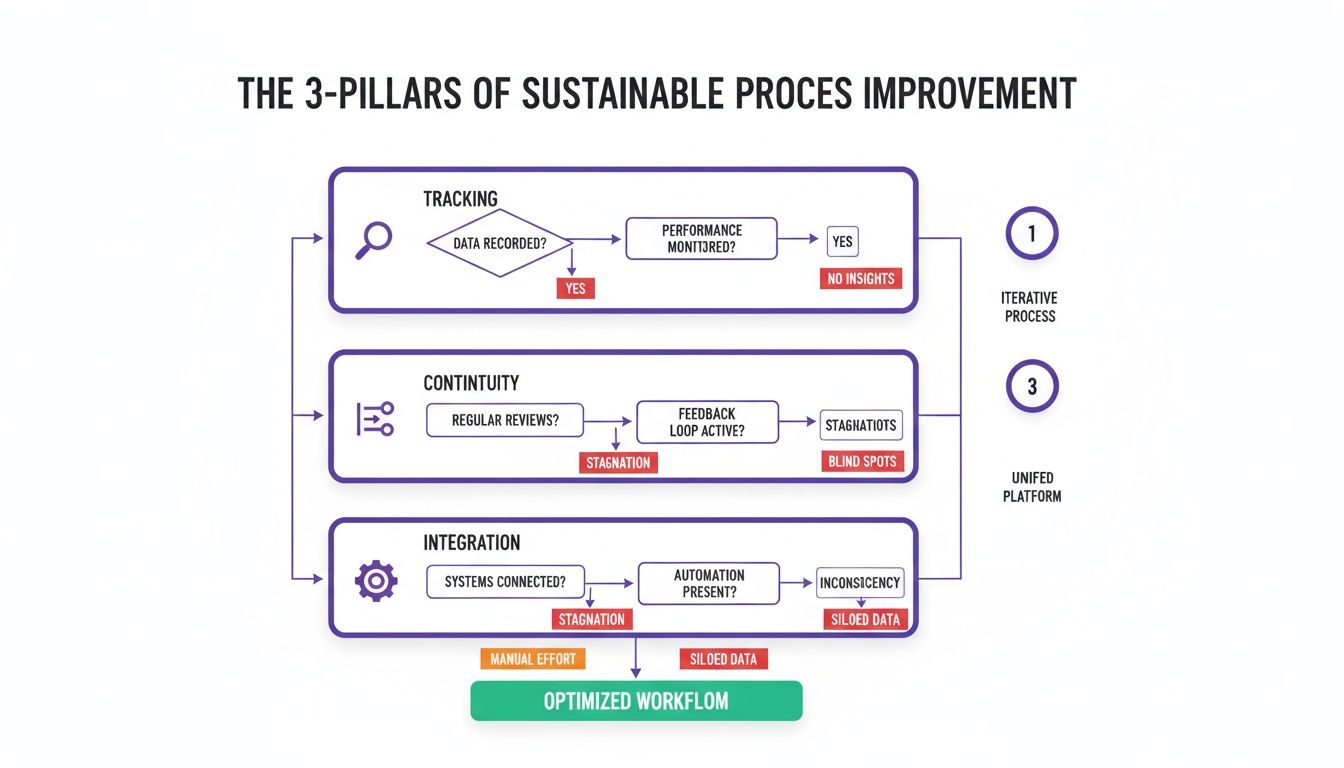
Ultimately, these three elements—tracking, continuity, and integration—work together to create a safety net that catches errors before they become embedded in your narrative.
Editors and Presses Analytical Needs
For developmental editors and small presses, the focus shifts again. While continuity is crucial, you also need tools for objective, data-driven analysis. The ability to generate a report on a character's "screen time," for instance, gives you concrete evidence to show an author that their deuteragonist vanishes for a hundred pages in the middle of the book. The best software for this role provides manuscript intelligence. It should be able to visualize pacing, highlight scenes with low tension, and map out character interaction networks. These analytical features transform subjective feedback like "the middle feels slow" into actionable data like "80% of scenes in this section lack narrative progression."
While many writers live and breathe Scrivener, these kinds of analytical tools offer a completely different layer of insight. It’s a distinction we explore in our deep dive on Novelium vs. Scrivener. Choosing the right tool always starts with diagnosing your biggest pain point and then investing in the precise solution that fixes it.
The Top Contenders for Professional Authors
Let's cut to the chase. The market is flooded with apps that promise to organize your novel, but very few are actually built for the high-stakes reality of a professional author wrestling with a complex manuscript. Most are either glorified text editors or fussy world-building wikis that create more admin work than they solve.
When you look at the landscape, a clear divide emerges. You have tools for drafting, tools for world-building, and a newer, different category of tools for what I'd call manuscript intelligence. Figuring out the strengths and weaknesses of each is how you find the right tool for your own process.

The Drafting King: Scrivener
Scrivener has more than earned its crown as the champion of drafting and organization. Its binder system for juggling scenes, chapters, and research is simply second to none for wrestling a sprawling first draft into submission. If you're a non-linear thinker or a heavy outliner, it’s a godsend.
But Scrivener’s real power is structural, not analytical. It helps you arrange the pieces of your story, but it has no idea what’s actually inside those pieces. It can't track a character's knowledge from one scene to the next. It won't build a timeline for you based on your prose or flag you when a character is magically in two places at once.
Scrivener is an exceptional tool for organizing your manuscript's container. It is completely blind to the continuity of the content within that container.
This is its critical blind spot. Relying on Scrivener alone for continuity is like organizing a warehouse by labeling all the boxes perfectly but having no inventory list of what’s inside them. It’s a fantastic drafting environment, but automated continuity checking just isn't what it does.
The World-Building Archives: World Anvil and Campfire
On the other end of the spectrum, you have dedicated world-building platforms like World Anvil and Campfire. These are phenomenal for creating elaborate, wiki-style databases for your fictional universe. For epic fantasy or sci-fi authors building entire worlds from the ground up, they offer an incredible level of detail for cataloging everything from magical systems to sprawling political histories.
Their weakness, however, is that they live in a totally separate world from your manuscript. They are static repositories of lore that you have to manually build and then manually consult. The information doesn’t live and breathe with your prose; it sits in a parallel database. This separation forces you into the role of an administrator, constantly double-checking your own work against the bible you built. The result? You’re still doing all the heavy lifting of continuity management yourself. These platforms are brilliant for codifying your world’s rules, but they do very little to ensure you’re not accidentally breaking those rules in chapter seventeen.
The Intelligence Layer: Novelium
This is where a new class of software comes into play. A tool like Novelium isn’t trying to replace your word processor or your world bible. Instead, it acts as an intelligence layer that sits on top of your existing workflow, providing the automated continuity verification that other tools just don't have.
You don't write in it. You write in Scrivener, Word, or whatever you love, then use it to analyze your manuscript. It actually reads your prose and does what the human brain struggles to do at scale: it tracks every character's state, knowledge, and location across hundreds of scenes. It builds your timeline for you.
Software Shortlist Feature Focus
This table breaks down how the leading software options tackle the three pillars of a professional author's needs: drafting, world-building, and continuity. Notice that no single tool excels at all three, which is why a multi-tool workflow is often the most powerful approach.
| Software | Primary Strength | Continuity & Tracking Weakness | Best For |
|---|---|---|---|
| Scrivener | Unmatched structural organization and drafting. | No automated continuity analysis; completely manual tracking. | Authors who need a powerful environment for outlining and composing a first draft. |
| World Anvil | Deep, wiki-style world and lore creation. | Static database, disconnected from the active manuscript prose. | Writers building complex worlds who need a central, detailed reference bible. |
| Novelium | Automated continuity and timeline verification. | Not a primary writing environment; it analyzes existing drafts. | Authors who need to find and fix plot holes in a finished or in-progress manuscript. |
As you can see, the most effective workflow doesn't force an "either/or" choice. It combines the best of each category. Use Scrivener to get that messy, brilliant first version down. Use a world-building tool to keep your high-level lore straight. Then, run that draft through an intelligence platform like Novelium to audit it, hunting down the inevitable inconsistencies and timeline snags that slip through the cracks. This approach lets each tool do what it does best, giving you a process that is both powerfully creative and technically sound.
4. Protecting Your Manuscript in the Digital Age
Let's be blunt: your unpublished novel is your creative lifeblood, but to a lot of software companies, it's just data. And in an age where most writing tools live in the cloud, that data can be surprisingly vulnerable. Every time you use a cloud-based tool to check for a plot hole or analyze a character arc, you might be sending pieces of your draft to a server you know nothing about.
This is where the idea of local-first processing becomes so important. It simply means that all the heavy lifting—every continuity check, every character analysis, every timeline build—happens right on your own device. No third-party servers ever get a peek at your words.

With local-first software, you never question who owns your intellectual property. You do. The tool can parse your scenes, track character states, and map out timelines without ever shipping your manuscript off-site. Many cloud-heavy platforms do the opposite. They upload snippets of your text for analysis, which can land in shared databases, be used to train algorithms, or—worst-case scenario—get leaked in a data breach.
How to Vet a Tool’s Data Practices
Don't just read the privacy policy. Ask direct questions that cut through the legal jargon. A trustworthy company will have straightforward answers.
- Does your software analyze my manuscript locally, without sending text to the cloud? It should be a simple yes or no.
- Will you ever use my content to train your models or improve your service? If the answer isn’t a hard no, walk away.
- Do you store backups on remote servers, and for how long? Shorter retention periods mean less risk.
- What encryption standards protect my data? You're looking for things like AES-256, the gold standard for security.
This isn’t about being paranoid; it's about being professional. These questions turn abstract privacy concerns into a concrete checklist. In fact, a recent AI book writing market report found that on-premise solutions—which give authors total data control—account for 62.6% of the market. That tells you just how much writers value their privacy.
If a software provider can’t answer these questions clearly and confidently, it's a major red flag. Your manuscript's privacy is likely an afterthought for them.
The first thing you lose with cloud-only tools is control. Once your chapters are uploaded to a server farm you don’t manage, you give up a significant amount of legal leverage and the simple ability to permanently delete your own work. Imagine coming up with the perfect final twist for your mystery, only to find out months later that a similar concept was used to train some generic story-summarization model. That’s a spoiler you can never take back.
The Real Risks of Cloud Reliance
This isn't just fear-mongering. These are practical risks for any author who values their IP:
- Unauthorized Access: Your work could be exposed through a breach at a third-party company.
- Vendor Lock-In: It can be nearly impossible to cleanly export your work and leave the service.
- Hidden Data Mining: Your story elements could be quietly siphoned off for purposes you never agreed to.
The hallmark of truly great writing software is local autonomy. You, the author, should be the one who decides when, where, and how your manuscript is processed. Anything less is an unnecessary gamble with your most valuable asset.
If you want to dig deeper into this, we've written a whole guide on the subject. You can read more about responsible software practices in our post on the Ethics of Writing Tools.
Novelium was built from the ground up on this principle of local-first design. It runs on your desktop, encrypts everything on your machine, and will never, ever share your draft with anyone. That’s how you protect your story. That’s how you protect your career.
How to Integrate New Software Into Your Workflow
Choosing a new tool is one thing; making it a part of your established, deadline-driven writing process is another beast entirely. So many writers make the same mistake: they try to switch their entire workflow overnight. That just creates friction, tanks your word count, and builds resentment for a tool that's supposed to be helping you.Don’t try to write your next novel from scratch in a totally unfamiliar environment. The pressure is way too high, and wrestling with a learning curve will absolutely kill your momentum. Instead, you need a phased approach, one designed for immediate, tangible benefits without derailing your current project.
Start with a Finished Manuscript
Your first move should be to run a completed manuscript through the new software. Pick a book you’ve already published or a draft that’s just sitting on your hard drive. This is the perfect, no-pressure test case. By analyzing a finished work, you get to learn the interface and poke around the features without the stress of a looming deadline. More importantly, it provides instant value. The software will likely surface continuity errors you—and maybe even your editor—missed. Little things like timeline snags, characters knowing things they shouldn't, or an object that vanished between chapters.
Seeing a tool find a genuine flaw in your published work is the fastest way to understand its power. It moves the software from a theoretical "nice-to-have" to an essential part of your quality assurance process.
This initial test proves the software's value on your own terms, using your own material. It shows you what it can do before you ever try to build it into a live project.
Evolve to Periodic Audits
Once you’re comfortable with the tool and trust its diagnostic power, you can start using it on your work-in-progress. But again, don't force yourself to write inside the new program. Stick with your preferred environment, whether that’s Scrivener, Word, or Google Docs.
Instead, treat the software as a periodic audit tool. After you finish a major section, like Part One or a sequence of ten chapters, export the draft and run it through your new analysis software. This workflow accomplishes several critical things: it respects your creative process, it catches errors early, and it builds trust in the system. Finding a plot hole after 25,000 words is a pretty simple fix. Finding that same hole after 80,000 words can mean a painful, destructive rewrite. This methodical integration—starting with a finished project and then moving to periodic checks—makes the software a partner rather than an obstacle. It allows you to adopt powerful new capabilities for ensuring your story's integrity without ever sacrificing the creative flow that gets the words on the page in the first place.
A Few Common Questions
Look, I get it. Every writer has a process, and the last thing you want is some new piece of tech messing with your flow. Let's talk through some of the usual skepticism that comes up whenever a new tool enters the picture. These aren't just hypotheticals; they're the real-world concerns of fitting something new into a professional workflow.
Will This Kind of Software Mess With My Creative Process?
Not if you’re using it right. The best novel writing software isn't a co-author barking orders; it's more like a silent, meticulous continuity editor working in the background. It doesn't tell you what to write. You keep writing exactly where you love to write—whether that's Scrivener, Word, or Google Docs. Afterward, you use a tool like this as an analytical layer. It’s built to catch the maddening little errors—the timeline snags and logical inconsistencies—that are almost impossible for a human brain to track across 100,000 words. It’s about offloading the tedious bookkeeping that grinds creativity to a halt. This frees you up to pour your energy into the stuff that matters: the prose, the theme, and the soul of your characters.
Is It Worth the Cost if I Already Pay an Editor?
Absolutely. Because it lets your editor do the high-level work that actually makes your story better. You're not paying a developmental editor's rate for them to hunt down the chapter where you accidentally switched a character's eye color back. Their time is far better spent wrestling with big-picture problems like pacing, thematic depth, and character arcs. When you hand over a manuscript that's already been scrubbed for continuity, you're giving them a clean, coherent draft. It’s a professional courtesy, really. It allows them to engage with your story on a much deeper level, which means a stronger book and a more efficient (and often cheaper) editing process for you.
How Steep Is the Learning Curve?
It varies, but the best tools are designed for integration, not replacement. A platform like Scrivener has a famously steep curve because you're meant to live inside it—building your entire project within its four walls. Analytical tools are a completely different animal.
The learning curve for an analytical tool is minimal because you aren't changing how you write. You simply import your existing document and learn how to interpret the feedback.
Your main task is to review the inconsistencies it flags and explore the timeline it generates automatically. Getting a full analysis on a finished manuscript usually takes just a few hours. That’s a tiny fraction of the time you’d spend on a manual continuity pass, hunting for those needles in a 300-page haystack.
Ready to stop hunting for plot holes and start focusing on your story? Novelium provides the manuscript intelligence you need to deliver a rock-solid draft every time. See how our local-first analysis can protect your work and streamline your editing process. Discover Novelium today.